InverterBoss
 › Power outage alerts
Power outage alertsGet an alert when the power goes off at home
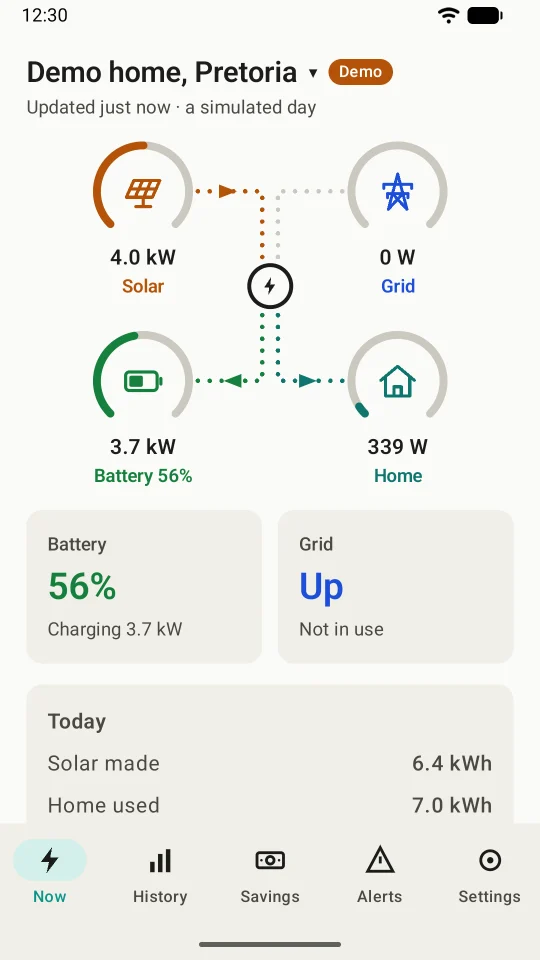
Load-shedding, a cable theft or a tripped main switch: whatever cuts the grid, InverterBoss tells you on your phone, wherever you are. Then it tells you when the power is back.
- From your own inverter
- Quiet at night
- Works when you're away
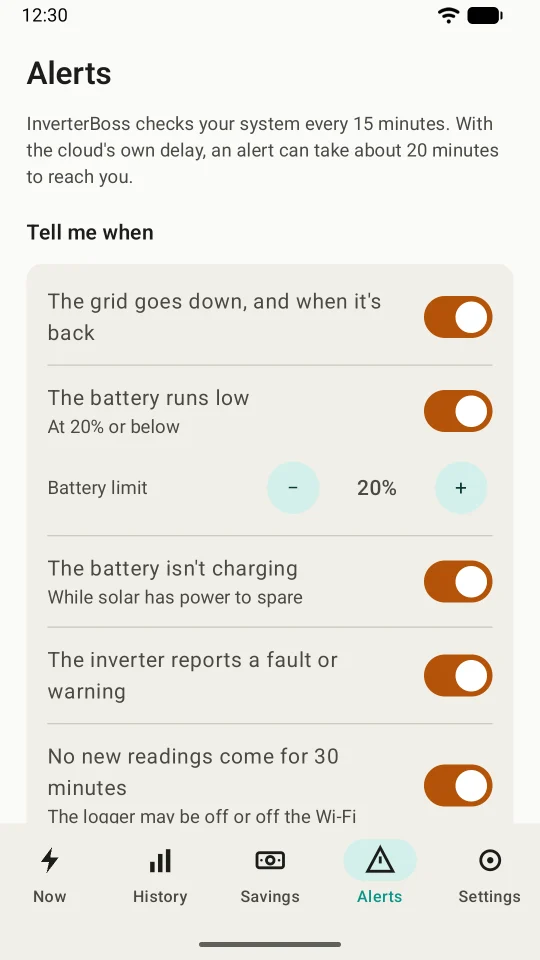
Seven alerts. Turn on the ones you want.
Each alert comes from your own system's readings, so it tells you what's really happening at your home, not what a schedule says should happen.
The grid goes down, and comes back
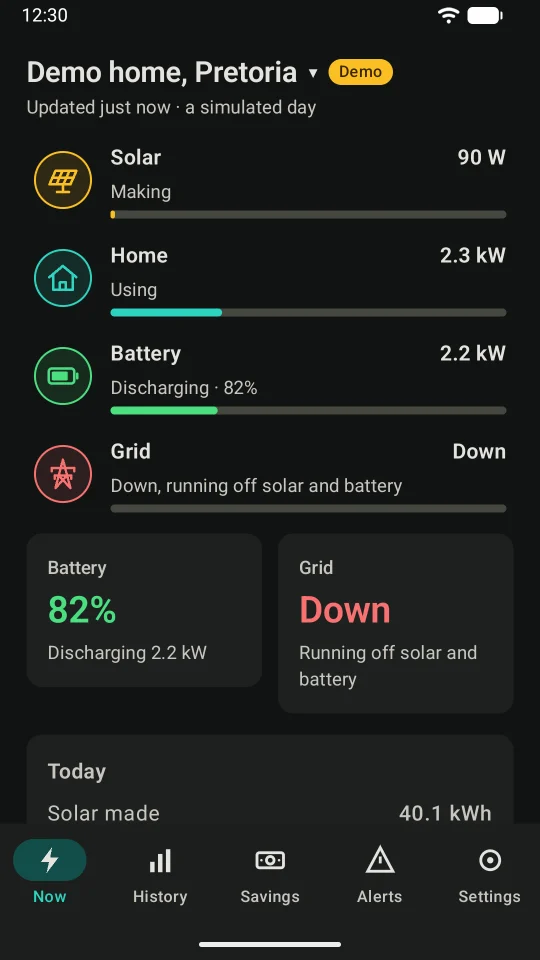
The moment your home loses the grid, and again when it's back, with how long it was gone.
The battery runs low
At a level you choose, 20% to start with, so you can switch off the geyser or the pool pump in time.
The battery isn't charging
While solar has power to spare. It waits for two checks in a row, about 30 minutes, as clouds pass.
The inverter reports a fault
Faults and warnings from your inverter itself, so you can call your installer before it gets worse.
No new readings
Nothing for 30 minutes: the logger may be off or off the Wi-Fi, and you'd want to know.
A poor solar day
Less than half a usual day's solar, checked once a day after 16:00. A very cloudy day shows up here, and so do dirty panels or a tripped string.
The battery is hot
At a temperature you set, 45 °C to start with, with a reminder to check that it has air around it.
A log of what happened
Every alert stays in the Alerts tab, so you can see what happened at home while you were busy.
Tap to see more
Tap an alert to open InverterBoss on the Alerts tab, with your system's latest readings a tap away.
Wakes you only when it matters
From 22:00 to 06:00, unless you change the hours, only "the grid is down" makes a sound. Everything else waits quietly in the Alerts tab until morning, with a log of what happened.
- One notification per system and subject: "the grid is back" replaces "down"
- Change the quiet hours, or turn them off
- Works for each of your systems, such as your parents' home
How fast, and how it works
About 20 minutes
InverterBoss checks your system every 15 minutes, even with the app closed. With the cloud's own delay, an alert can take about 20 minutes to reach you.
Not a schedule app
InverterBoss doesn't predict load-shedding. It tells you what actually happened at your home, from your inverter's own readings.
Let it run
Some phones stop apps working in the background to save battery. InverterBoss's phone guide shows you how to let it run on your phone.
Outage alert questions
Do I need a solar system for these alerts?
Yes. The alerts come from your inverter's readings, so you need a Sunsynk system on Sunsynk Connect. Deye Cloud sign-in is coming in an update.
Is this a load-shedding schedule app?
No. It doesn't predict outages. It tells you when your home actually loses the grid, and when the power is back, whatever the cause.
How quickly will I get a power outage alert?
InverterBoss checks every 15 minutes, so with the cloud's own delay an alert can take about 20 minutes to reach you.
Will an alert wake me at night?
Only "the grid is down". From 22:00 to 06:00, unless you change the hours or turn quiet hours off, the other alerts wait quietly in the Alerts tab until morning.
Are the alerts free?
Alerts are part of Premium, at R49.99 a month or R399.99 a year. New subscribers get 14 days free, so you can see them work through a few outages first.
What if the inverter's logger loses power or Wi-Fi?
Then no new readings reach the cloud, and InverterBoss can't see the grid. Turn on "No new readings come for 30 minutes", and you'll know the logger has gone quiet. Most homes run the router and logger from the backup supply, so they stay on through an outage.
Never miss an outage at home
InverterBoss is in testing now, and opens to everyone on Google Play soon. Have a Sunsynk system and want to try the alerts sooner? Email us to ask about joining the test.